
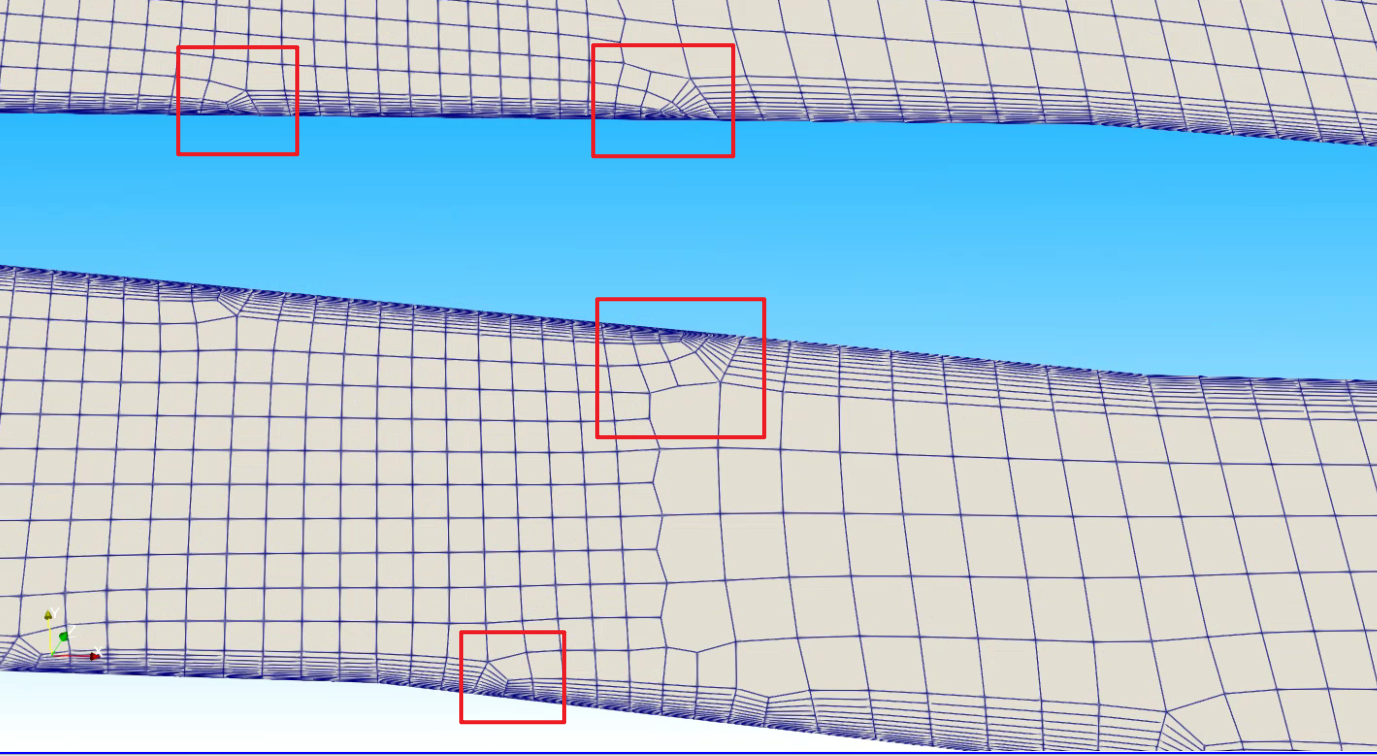
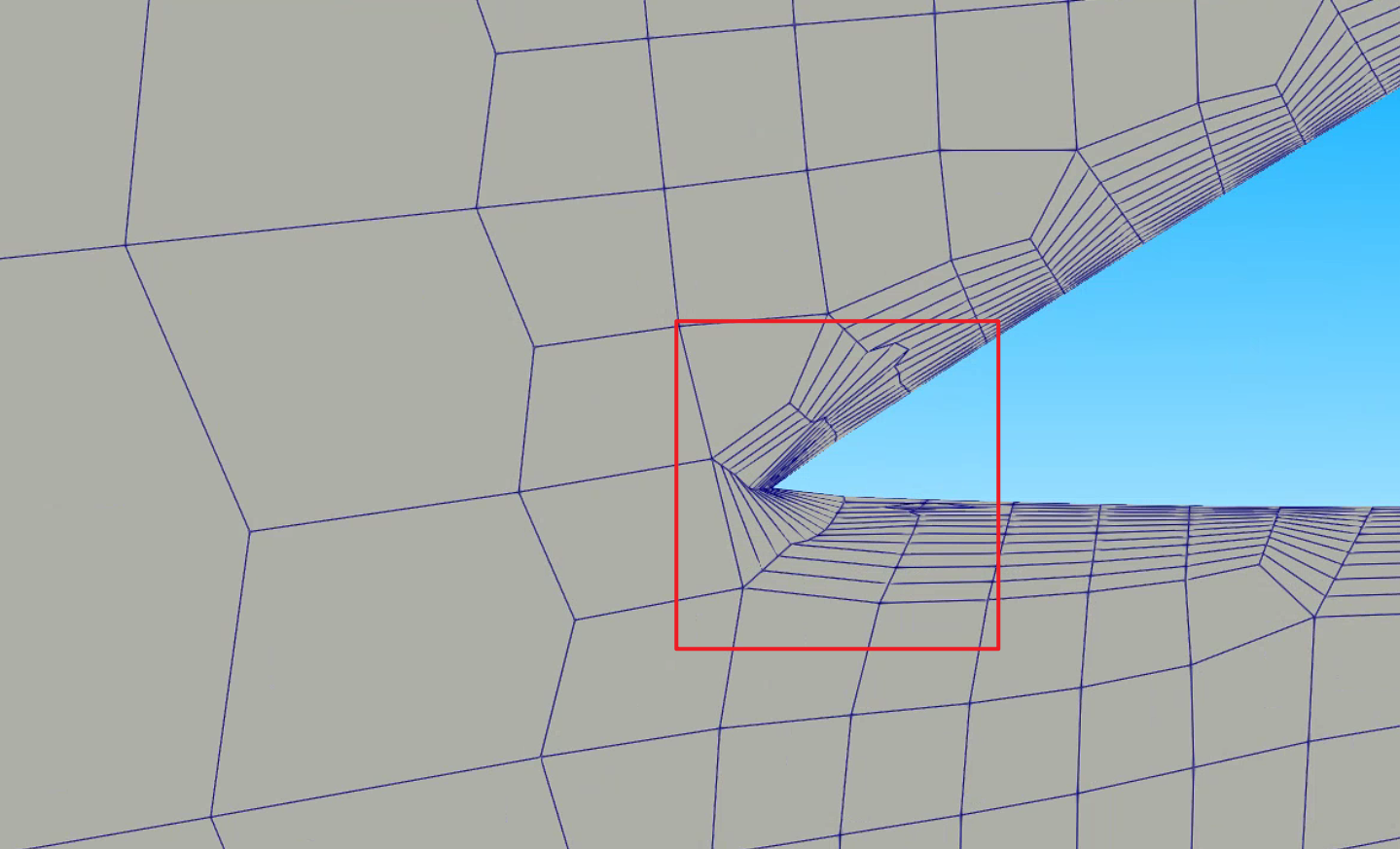
20251203,以下情况是因为网格加密在同一层没有对于设置,导致出现的“一对多”情况。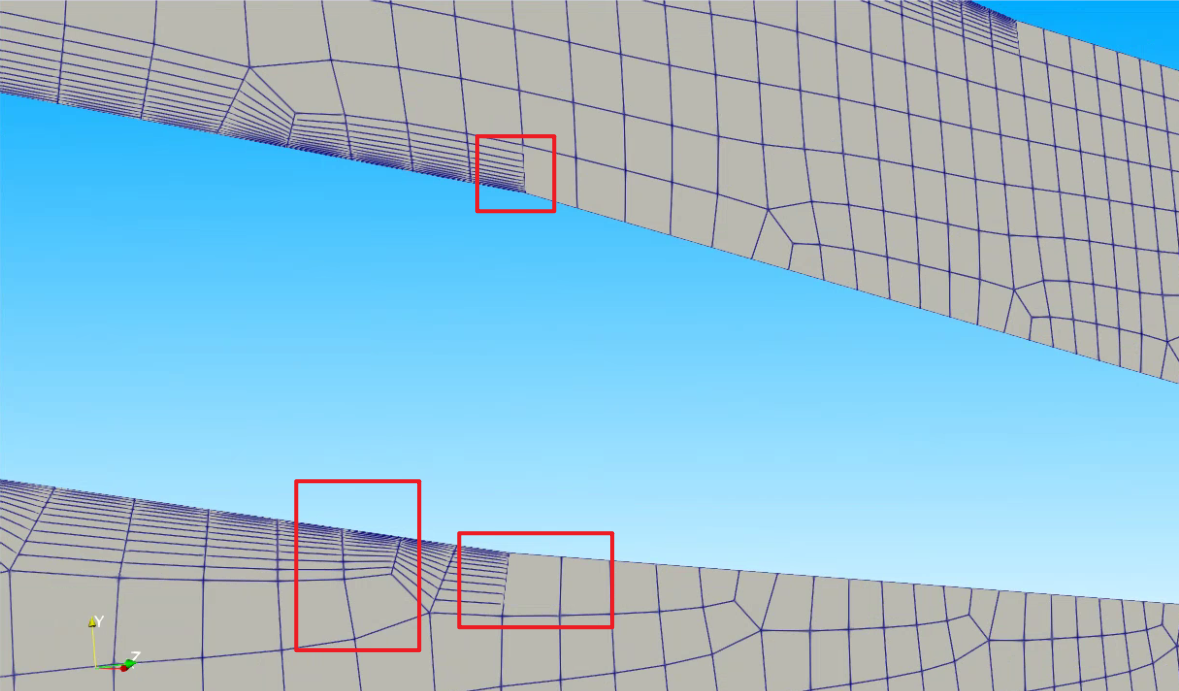
文章作者: tttt
版权声明: 本博客所有文章除特别声明外,均采用 CC BY-NC-SA 4.0 许可协议。转载请注明来源 tttt's!
相关推荐
2026-09-15
高质量网格的 5 个技巧与陷阱
https://cfmesh.com/tips-tricks-for-a-high-quality-meshing-process/ 🧩 5 Tips and Tricks for a High-Quality Meshing Process(Based on CF-MESH+ Blog Summary) Preparing clean and well-defined geometry is essential for CF-MESH+ to generate high-quality meshes.The following five tips help ensure smooth meshing and accurate CFD results. 🧠 OverviewFive key tips for high-quality meshing: Apply cell size smaller than half of the gap dimension. Modify geometry where the feature size tends to zero. De...
2026-09-15
mergeSurfacePatches 用法
“The utility allow the user to specify the patches in the surface mesh which shall be merge together.” OpenFOAM v2406 utility reference: mergeSurfacePatches —— 选项和覆盖/输出行为以对应发行版手册为准 12345678910111213141516171819202122cd "$CASE_DIR"mergeSurfacePatches -helpUsage: mergeSurfacePatches [OPTIONS] <input surface file> <new patch>Options: -case <dir> Case directory (instead of current directory) -keep -output <file name (default overwrite)> -patchIdR...
2026-09-15
splitMesh 与 splitMeshRegions
OpenFOAM: Manual Pages: splitMesh OpenFOAM v2506 API: splitMeshRegions 02 chtMultiRegionFoam求解器- splitMesh - 哔哩哔哩 `OpenFOAM-v2406`采用`splitMeshRegions`的一个例子。 1234567891011121314151617181920212223242526272829303132333435363738394041424344454647484950515253545556575859606162636465666768697071727374757677787980818283848586878889909192939495969798991001011021031041051061071081091101111121131141151161171181191201211221231241251261271281291301311321331341351361371381391401411421431441451461471481491...
2026-09-15
mergeMeshes 与 stitchMesh 的区别和选择
mergeMeshes vs stitchMesh这两个命令虽然都是“合并”,但它们的作用层级和物理意义完全不同。 一句话总结:mergeMeshes 是把两个网格文件放在一起(物理上还是断开的),而 stitchMesh 是把两个断开的面缝合起来(物理上连通)。 通常的操作流程是:先用 mergeMeshes 把两个部件合到一个算例里,再用 stitchMesh 把它们连通。 1. mergeMeshes(拼积木) 作用对象:两个独立的网格算例(Case)。 功能:将“网格B”的数据直接追加写入到“网格A”的文件中。 结果: 你会得到一个包含 A 和 B 所有网格的大网格。 关键点:此时 A 和 B 虽然在一个文件里,但它们是互不相连的。流体流不过去。它们接触的地方依然是两个独立的边界(Patch),各管各的。 类比:你把两块乐高积木放在桌子上靠在一起。虽然它们都在桌子上(同一个算例),但它们并没有卡扣在一起(拓扑未连接)。 命令示例: 12# 把 rotor 网格合并到 stator 网格里mergeMeshes . stator . rotor 2. stitc...
2026-09-15
castellatedMeshControls 与 baffle 生成代码解读
来源:https://www.openfoam.com/news/main-news/openfoam-v2312/pre-processing snappyHexMesh: writing faces from the automatic leak path closure https://develop.openfoam.com/Development/openfoam/-/blob/master/src/mesh/snappyHexMesh/meshRefinement/meshRefinementBaffles.C AIRef解读好的,这是按照您要求整理的 src_mesh_snappyHexMesh_meshRefinement_meshRefinementBaffles.C 文件主要函数列表: 核心挡板生成与处理 函数名 作用 createBaffles 通用挡板生成入口。根据传入的面列表,通过拓扑变化将这些内部面切开,转换为成对的边界面(挡板)。 createZoneBaffles 基于 FaceZone 生成挡板。查找位于指定 faceZone ...
2026-09-15
zoneGenerator 与 CFD 直接网格分区
OpenFOAM v13更新详情-8:更优雅的网格操控之道 在之前的OpenFOAM版本中,网格区域(pointZone、cellZone、faceZone)的管理往往需要多个工具配合使用,操作流程相对繁琐。v13版本全新开发的动态区域生成系统彻底改变了这一局面。 核心亮点:新的zoneGenerator能一键生成包含pointZone、cellZone、faceZone任意组合的zoneSet,再也不用手动挨个创建区域了。 具体来说,该系统包含了多个zoneGenerator,用于创建和控制动态区域。另外,faceZone的flipMap(方向翻转映射)也迎来了人性化调整:现在它变成可选配置了,如果后续需要调整方向,用flipMap zone generator就能轻松补上。再也不用为了一个可选的方向参数,在配置文件里写一堆冗余代码了。 代码层面的改进主要体现在commit da974812、b4339ca4和a578e1e8等提交中,引入了全新的动态区域生成架构。 CFD direct Introhttps://cfd.direct/openfoam/free-softwar...